目标:
1,了解 LNMP 的工作原理
2,不依赖在线 yum 源码编译安装 LNMP。
3,保证搭建出和我一样的 LNMP 环境
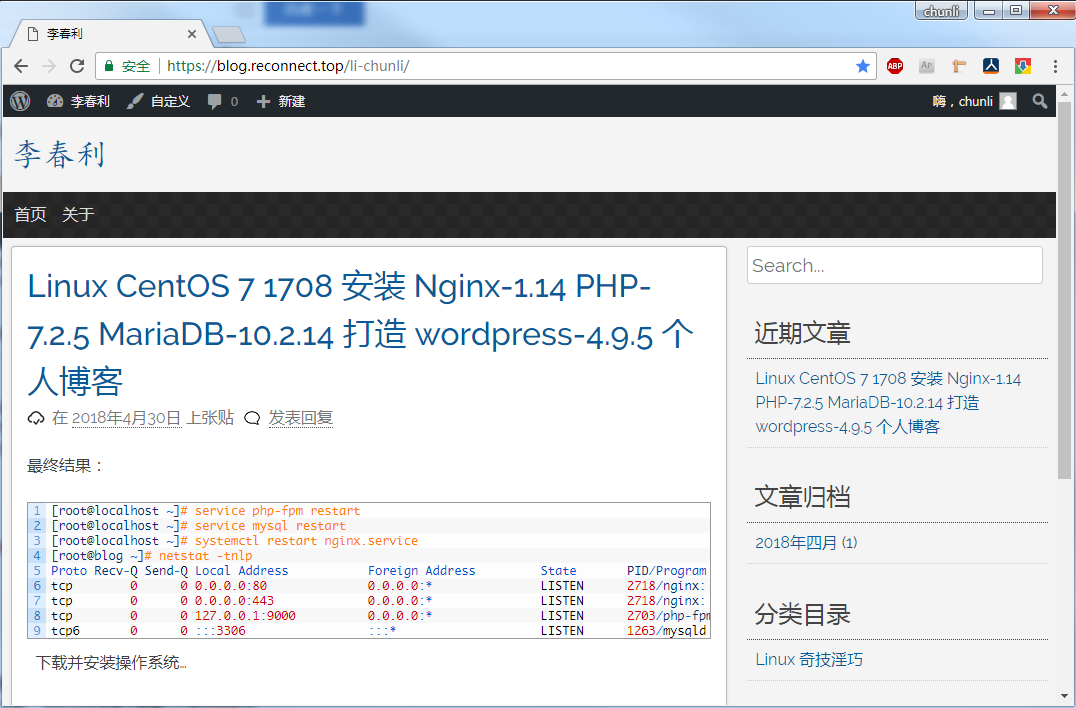
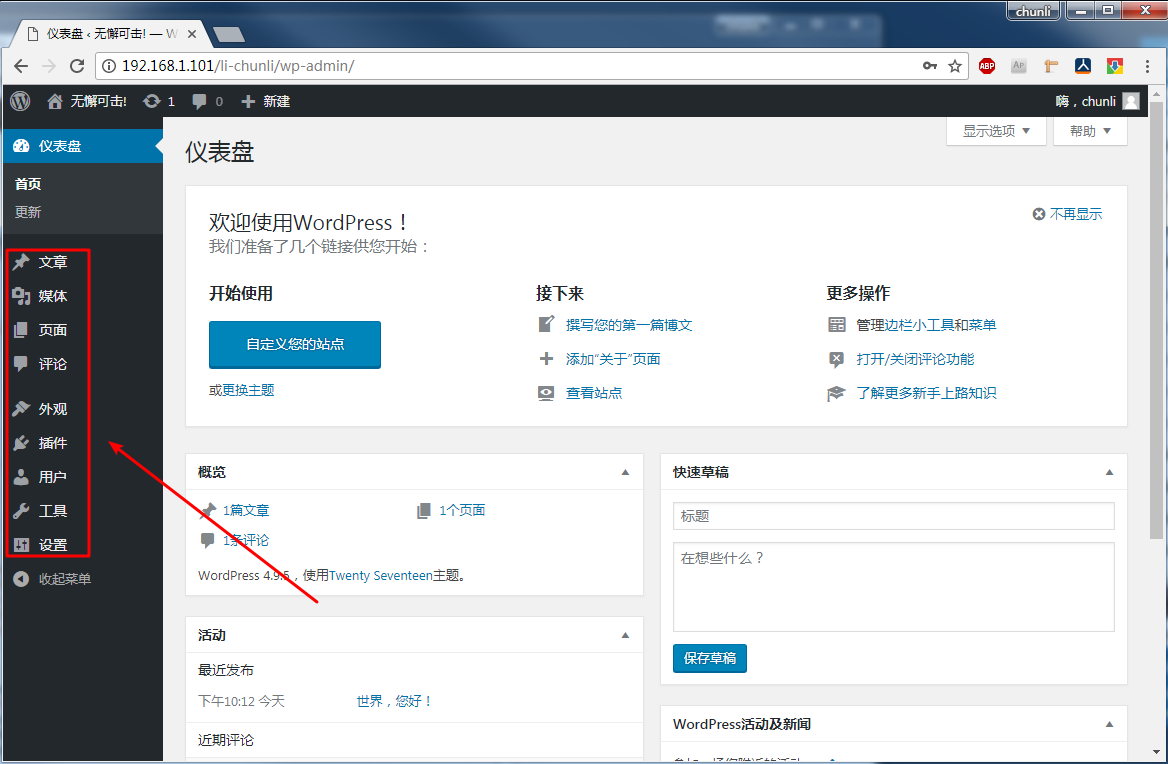
效果图
# 下载并安装操作系统
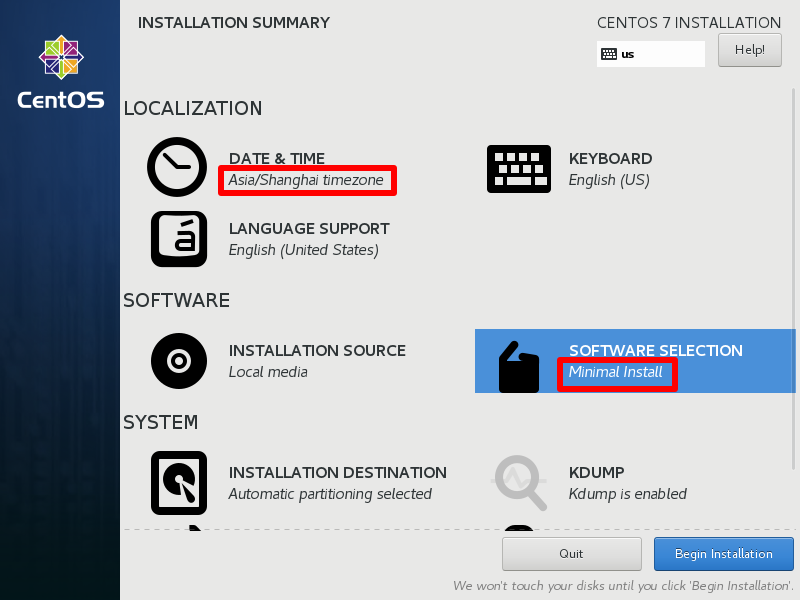
## mini 安装
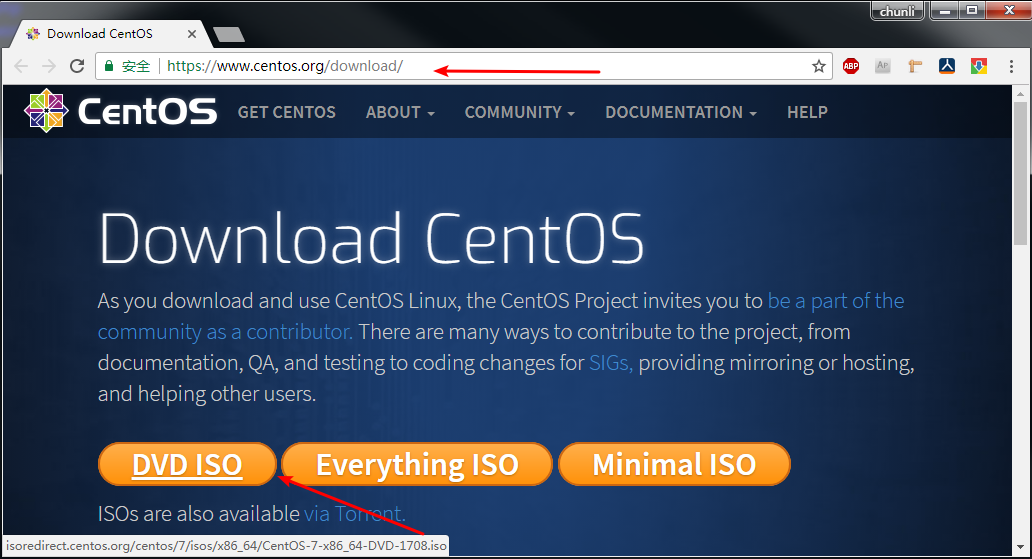
## 挂载CentOS 1708 镜像
1 2 3 4 5 6 7 8 9 10 11 12 13 14 15 16 17 18 19 20 21 22 23 24 25 26 27 28 29 30 31 32 33 34 任一选择 [root@localhost ~] [root@localhost ~] [root@localhost ~] [root@localhost ~]82 b4160df8d2a360f0f38432ad7e049b CentOS-7 -x86_64-DVD-1708 .iso [root@localhost ~] [root@localhost ~] [root@localhost ~] /dev/loop0 4.3 G 4.3 G 0 100 % /mnt/CentOS7_1708 [root@localhost ~] total 664 -rw-rw-r--. 3 root root 14 Sep 5 2017 CentOS_BuildTag drwxr-xr-x. 3 root root 2048 Sep 5 2017 EFI -rw-rw-r--. 3 root root 227 Aug 30 2017 EULA -rw-rw-r--. 3 root root 18009 Dec 10 2015 GPL drwxr-xr-x. 3 root root 2048 Sep 5 2017 images drwxr-xr-x. 2 root root 2048 Sep 5 2017 isolinux drwxr-xr-x. 2 root root 2048 Sep 5 2017 LiveOS drwxrwxr-x. 2 root root 641024 Sep 5 2017 Packages drwxr-xr-x. 2 root root 4096 Sep 5 2017 repodata -rw-rw-r--. 3 root root 1690 Dec 10 2015 RPM-GPG-KEY-CentOS-7 -rw-rw-r--. 3 root root 1690 Dec 10 2015 RPM-GPG-KEY-CentOS-Testing-7 -r--r--r--. 1 root root 2883 Sep 6 2017 TRANS.TBL [root@localhost ~] 添加开机自动挂载 [root@localhost ~] [root@localhost ~] [root@localhost ~] [root@localhost ~] /dev/loop0 4.3 G 4.3 G 0 100 % /mnt/CentOS7_1708 [root@localhost ~]
使用 ISO 配置离线 yum
1 2 3 4 5 6 7 8 9 10 11 12 13 14 15 16 17 18 19 [root@localhost ~] [root@localhost ~] [root@localhost ~] [c7-media] name=CentOS-$releasever - Media baseurl=file:///mnt/CentOS7_1708/ gpgcheck=0 enabled=1 gpgkey=file:///etc/pki/rpm-gpg/RPM-GPG-KEY-CentOS-7 [root@localhost ~] [root@localhost ~] [root@localhost ~] [root@localhost ~] [root@localhost ~] [root@localhost ~]
防火墙设置
1 2 3 4 5 6 7 8 9 10 11 12 13 14 15 16 17 18 19 20 21 22 23 24 25 26 27 28 29 30 31 32 33 34 35 36 37 38 39 40 41 42 43 44 1 ,关闭并停掉firewall [root@localhost ~] [root@localhost ~]2 ,安装iptables [root@localhost ~] [root@localhost ~] [root@localhost ~] [root@localhost ~] -A INPUT -p tcp -m state --state NEW -m tcp --dport 80 -j ACCEPT -A INPUT -p tcp -m state --state NEW -m tcp --dport 443 -j ACCEPT [root@localhost ~]3 ,重启iptables,注意文件中不能有注释:/etc/sysconfig/iptables [root@localhost ~]4 ,关闭selinux [root@localhost ~] [root@localhost ~] SELINUX=disabled [root@localhost ~] Chain INPUT (policy ACCEPT) target prot opt source destination ACCEPT all -- 0.0 .0.0 /0 0.0 .0.0 /0 state RELATED,ESTABLISHED ACCEPT icmp -- 0.0 .0.0 /0 0.0 .0.0 /0 ACCEPT all -- 0.0 .0.0 /0 0.0 .0.0 /0 ACCEPT tcp -- 0.0 .0.0 /0 0.0 .0.0 /0 state NEW tcp dpt:22 ACCEPT tcp -- 0.0 .0.0 /0 0.0 .0.0 /0 state NEW tcp dpt:80 ACCEPT tcp -- 0.0 .0.0 /0 0.0 .0.0 /0 state NEW tcp dpt:443 REJECT all -- 0.0 .0.0 /0 0.0 .0.0 /0 reject-with icmp-host-prohibited Chain FORWARD (policy ACCEPT) target prot opt source destination REJECT all -- 0.0 .0.0 /0 0.0 .0.0 /0 reject-with icmp-host-prohibited Chain OUTPUT (policy ACCEPT) target prot opt source destination [root@localhost ~]
Nginx 编译
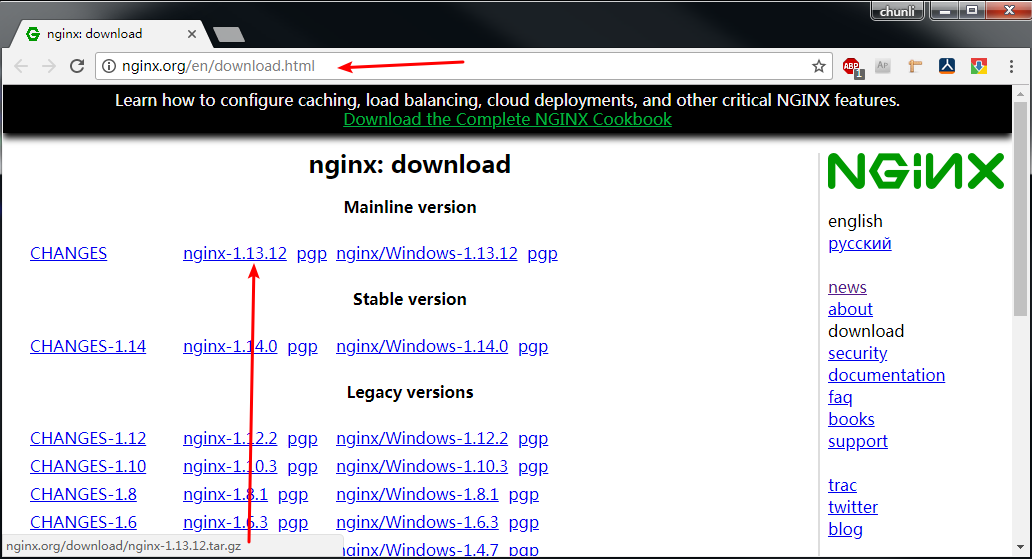
1 2 3 4 5 6 7 8 9 10 11 12 13 14 15 16 17 18 19 20 21 22 23 24 25 26 27 28 29 30 31 32 33 34 35 36 37 38 39 40 41 42 43 44 45 46 47 48 49 50 51 52 53 54 55 56 57 58 59 60 61 62 63 64 65 66 67 68 69 70 71 72 73 相关依赖 [root@localhost ~] [root@localhost ~] [root@localhost ~] [root@localhost ~] 下载并编译安装 [root@localhost ~] [root@localhost ~] [root@localhost nginx] [root@localhost nginx]2 d856aca3dfe1d32e3c9f8c4cac0cc95 nginx-1.14 .0 .tar.gz [root@localhost nginx] [root@localhost nginx] [root@localhost nginx-1.14 .0 ] ./configure --prefix=/opt/nginx \ --with-http_ssl_module \ --with-http_v2_module \ --with-http_realip_module \ --with-http_addition_module \ --with-http_dav_module \ --with-http_flv_module \ --with-http_mp4_module \ --with-http_gunzip_module \ --with-http_perl_module [root@localhost nginx-1.14 .0 ] 启动运行,测试 [root@localhost nginx-1.14 .0 ] [root@localhost nginx-1.14 .0 ] [root@localhost nginx-1.14 .0 ] Active Internet connections (only servers) Proto Recv-Q Send-Q Local Address Foreign Address State PID/Program name tcp 0 0 0.0 .0.0 :80 0.0 .0.0 :* LISTEN 9283 /nginx: master tcp 0 0 0.0 .0.0 :22 0.0 .0.0 :* LISTEN 1008 /sshd tcp 0 0 127.0 .0.1 :25 0.0 .0.0 :* LISTEN 1564 /master tcp6 0 0 :::22 :::* LISTEN 1008 /sshd tcp6 0 0 ::1 :25 :::* LISTEN 1564 /master [root@localhost nginx-1.14 .0 ] [root@localhost nginx-1.14 .0 ] <!DOCTYPE html> <html> <head> <title>Welcome to nginx!</title> 添加开机自启 [root@localhost ~] [Unit] Description=nginx - high performance web server After=network.target remote-fs.target nss-lookup.target [Service] Type=forking ExecStart=/opt/nginx/sbin/nginx -c /opt/nginx/conf/nginx.conf ExecReload=/opt/nginx/sbin/nginx -s reload ExecStop=/opt/nginx/sbin/nginx -s stop PrivateTmp=true [Install] WantedBy=multi-user.target [root@localhost ~] [root@localhost ~] [root@localhost ~] [root@localhost ~] [root@localhost ~] [root@localhost ~] Proto Recv-Q Send-Q Local Address Foreign Address State PID/Program name tcp 0 0 0.0 .0.0 :80 0.0 .0.0 :* LISTEN 3202 /nginx: master [root@localhost ~]
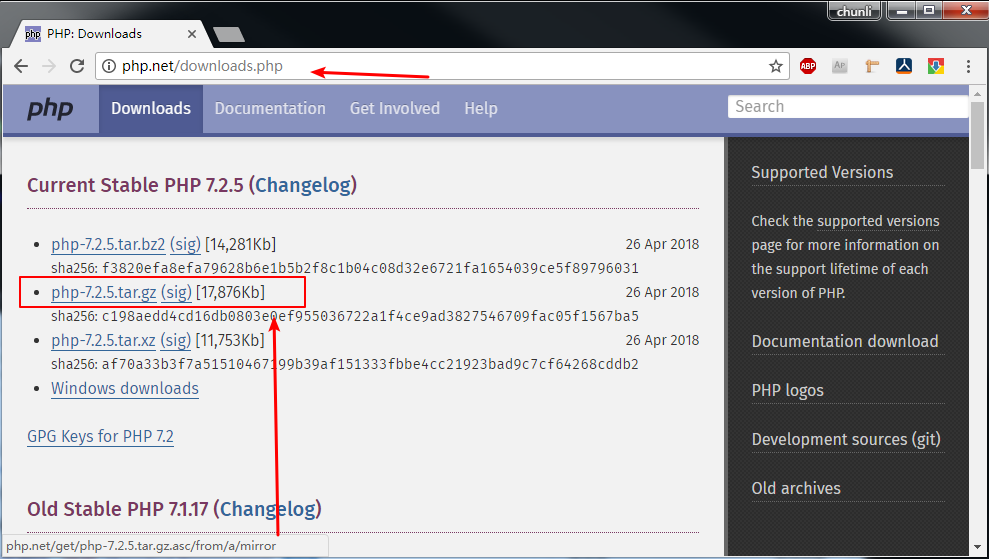
编译安装 php
1 2 3 4 5 6 7 8 9 10 11 12 13 14 15 16 17 18 19 20 21 22 23 24 25 26 27 28 29 30 31 32 33 34 35 36 37 38 39 40 41 42 43 44 45 46 47 48 49 50 51 52 53 54 55 56 57 58 59 60 61 62 63 64 65 66 67 68 69 70 71 72 73 基本依赖: [root@localhost ~] [root@localhost ~] PHP 编译 [root@localhost ~] [root@localhost ~] [root@localhost php] [root@localhost php] e9bede5ea2cbb2e3a2581d38316c9356 php-7.2 .5 .tar.gz [root@localhost php] [root@localhost php] [root@localhost php-7.2 .5 ] ./configure \ --prefix=/opt/php \ --enable-fpm \ --with-mysql-sock=/tmp/mysql.sock \ --enable-embedded-mysqli \ --with-mysqli \ --with-zlib \ --with-openssl \ --with-iconv \ --with-gd [root@localhost php-7.2 .5 ] 测试 php 程序 [root@localhost php-7.2 .5 ] [root@localhost php-7.2 .5 ] phpinfo() PHP Version => 7.2 .5 System => Linux localhost.localdomain 3.10 .0 -693 .el7.x86_64 Build Date => Apr 30 2018 19 :27 :25 Configure Command => './configure' '--prefix=/opt/php' '--enable-fpm' '--with-mysql-sock=/tmp/mysql.sock' '--enable-embedded-mysqli' '--with-mysqli' '--with-zlib' '--with-openssl' '--with-iconv' Server API => Command Line Interface Virtual Directory Support => disabled Configuration File (php.ini) Path => /opt/php/lib Loaded Configuration File => (none) Scan this dir for additional .ini files => (none) Additional .ini files parsed => (none) PHP API => 20170718 PHP Extension => 20170718 Zend Extension => 320170718 Zend Extension Build => API320170718,NTS PHP Extension Build => API20170718,NTS Debug Build => no Thread Safety => disabled Zend Signal Handling => enabled Zend Memory Manager => enabled Zend Multibyte Support => disabled IPv6 Support => enabled DTrace Support => disabled php-fpm 开机自启 [root@localhost php-7.2 .5 ] [root@localhost php-7.2 .5 ] [root@localhost php-7.2 .5 ] [root@localhost php-7.2 .5 ] [root@localhost php-7.2 .5 ] [root@localhost php-7.2 .5 ] [root@localhost php-7.2 .5 ] [root@localhost php-7.2 .5 ] tcp 0 0 127.0 .0.1 :9000 0.0 .0.0 :* LISTEN 84988 /php-fpm: mast [root@localhost php-7.2 .5 ] [root@localhost php-7.2 .5 ] [root@localhost php-7.2 .5 ] Proto Recv-Q Send-Q Local Address Foreign Address State PID/Program name tcp 0 0 127.0 .0.1 :9000 0.0 .0.0 :* LISTEN 41270 /php-fpm: mast
配置nginx 如何使用php-fpm
1 2 3 4 5 6 7 8 9 10 11 12 13 14 15 16 17 18 19 20 21 22 23 24 25 26 27 28 29 30 31 32 33 34 35 36 37 38 39 40 41 42 43 修改nginx配置文件 [root@localhost ~] 找到: location / { root html; index index.html index.htm; } 改为: location / { root html; index index.html index.htm index.php; } 找到: 改为: location ~ \.php$ { root html; fastcgi_pass 127.0 .0.1 :9000 ; fastcgi_index index.php; fastcgi_param SCRIPT_FILENAME /opt/nginx/html/$fastcgi_script_name ; include fastcgi_params; } 注意:scripts 改为 nginx 网页目录绝对路径 验证 Nginx 配置 PHP [root@localhost ~] [root@localhost ~] [root@localhost ~] <!DOCTYPE html PUBLIC "-//W3C//DTD XHTML 1.0 Transitional//EN" "DTD/xhtml1-transitional.dtd" > <html xmlns="http://www.w3.org/1999/xhtml" ><head> <style type="text/css" > body {background-color: Nginx 配置 PHP 成功
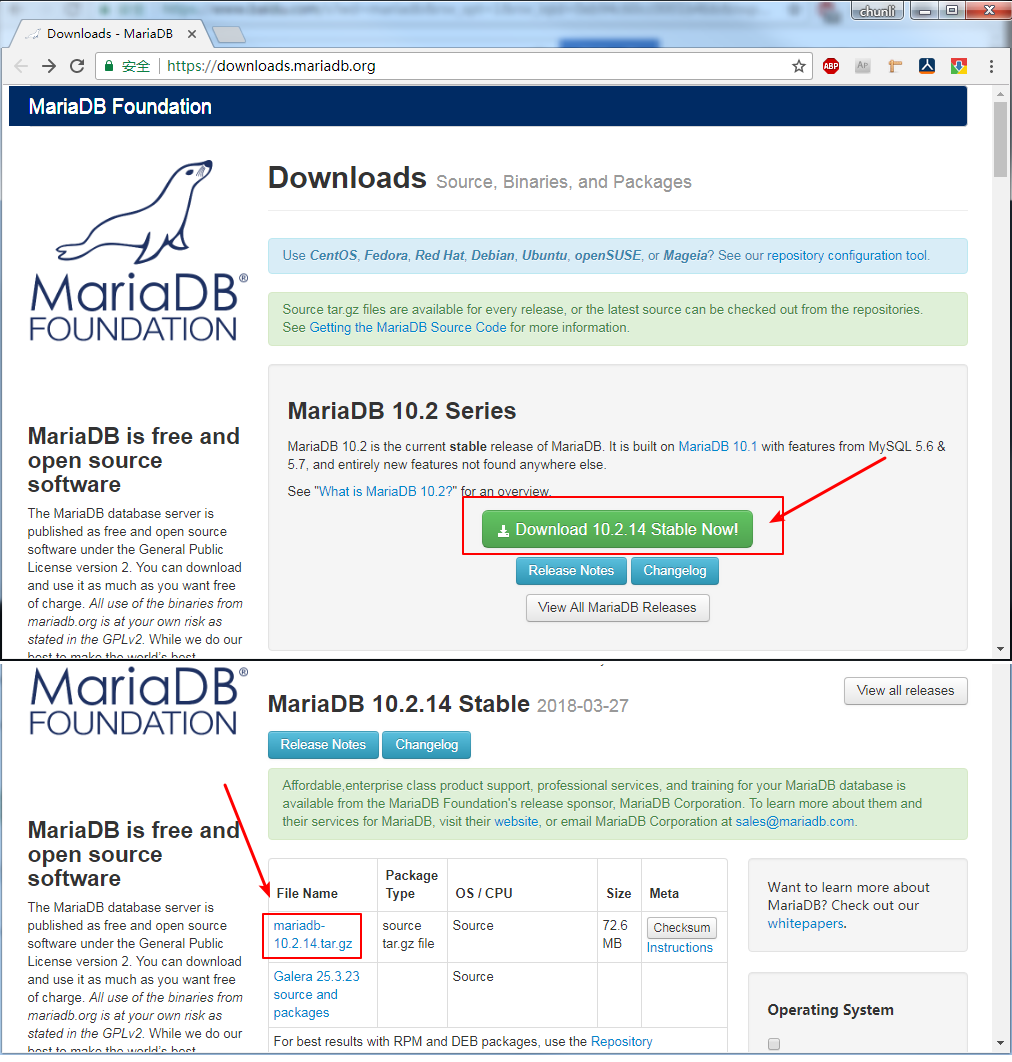
编译安装 MariaDB
1 2 3 4 5 6 7 8 9 10 11 12 13 14 15 16 17 18 19 20 21 22 23 24 25 26 27 28 29 30 31 32 33 34 35 36 37 38 39 40 41 42 43 44 45 46 47 48 49 50 51 52 53 54 55 56 57 58 59 60 61 62 63 64 65 66 67 68 69 70 71 72 73 74 75 76 77 78 79 80 81 82 83 84 85 86 87 88 89 [root@localhost ~] [root@localhost ~] [root@localhost ~] 编译 MariaDB [root@localhost ~] [root@localhost ~] [root@localhost ~] [root@localhost mariadb] [root@localhost mariadb] d98cce6f3c0e2971afa061fc67183b91 mariadb-10.2 .14 .tar.gz [root@localhost mariadb] [root@localhost mariadb] [root@localhost mariadb-10.2 .14 ] [root@localhost mariadb-10.2 .14 ] cmake . \ -DCMAKE_INSTALL_PREFIX=/opt/mariadb \ -DMYSQL_DATADIR=/opt/mariadb/data \ -DMYSQL_UNIX_ADDR=/tmp/mysql.sock \ -DDEFAULT_CHARSET=utf8 \ -DDEFAULT_COLLATION=utf8_general_ci \ -DWITHOUT_TOKUDB=1 \ -DWITH_SSL=system \ -DWIYH_READLINE=1 \ -DWITH_INNOBASE_STORAGE_ENGINE=1 \ -DWITH_ARCHIVE_STPRAGE_ENGINE=1 \ -DWITH_BLACKHOLE_STORAGE_ENGINE=1 \ -DWITH_READLINE=1 \ -DWITH_ZLIB=system \ -DENABLED_LOCAL_INFILE=1 [root@localhost mariadb-10.2 .14 ] [root@localhost ~] [root@localhost mariadb] [root@localhost mariadb] 初始化一个数据库实例 [root@localhost mariadb] 启动测试:MySQL 启动 这个实例 [root@localhost ~] --user=root \ --basedir=/opt/mariadb \ --datadir=/opt/mariadb/data \ --plugin-dir=/opt/mariadb/lib/plugin \ --log-error=/opt/mariadb/data /localhost.err \ --pid-file=/opt/mariadb/data /localhost.pid \ --socket=/tmp/mysql.sock \ --port=3306 [root@localhost mariadb] Proto Recv-Q Send-Q Local Address Foreign Address State PID/Program name tcp6 0 0 :::3306 :::* LISTEN 28662 /mysqld [root@localhost mariadb] MariaDB 开机自启 [root@localhost ~] [root@localhost ~] [root@localhost ~] [root@localhost ~] [root@localhost ~] [root@localhost ~] [root@localhost ~] [root@localhost ~] [root@localhost ~] tcp6 0 0 :::3306 :::* LISTEN 22783 /mysqld [root@localhost ~] 注意这里有坑:需要创建一个名 为 mysql 的用户,否则 MariaDB 无法启动, 原因是 如果没有 mysql 用户,或者没有/opt/mariadb/的运行权限,无法启动 MariaDB 默认是关联 mysql 用户,所以最省事儿的就是创建 mysql 用户, 并 授权。 登录测试并修改密码 [root@localhost ~] MariaDB [(none)]> use mysql; MariaDB [mysql]> UPDATE user SET password = PASSWORD('new_password' ) WHERE user = 'root' ; MariaDB [mysql]> FLUSH PRIVILEGES; MariaDB [mysql]> exit [root@localhost ~] Enter password: 输入新的密码 new_password MariaDB [(none)]>
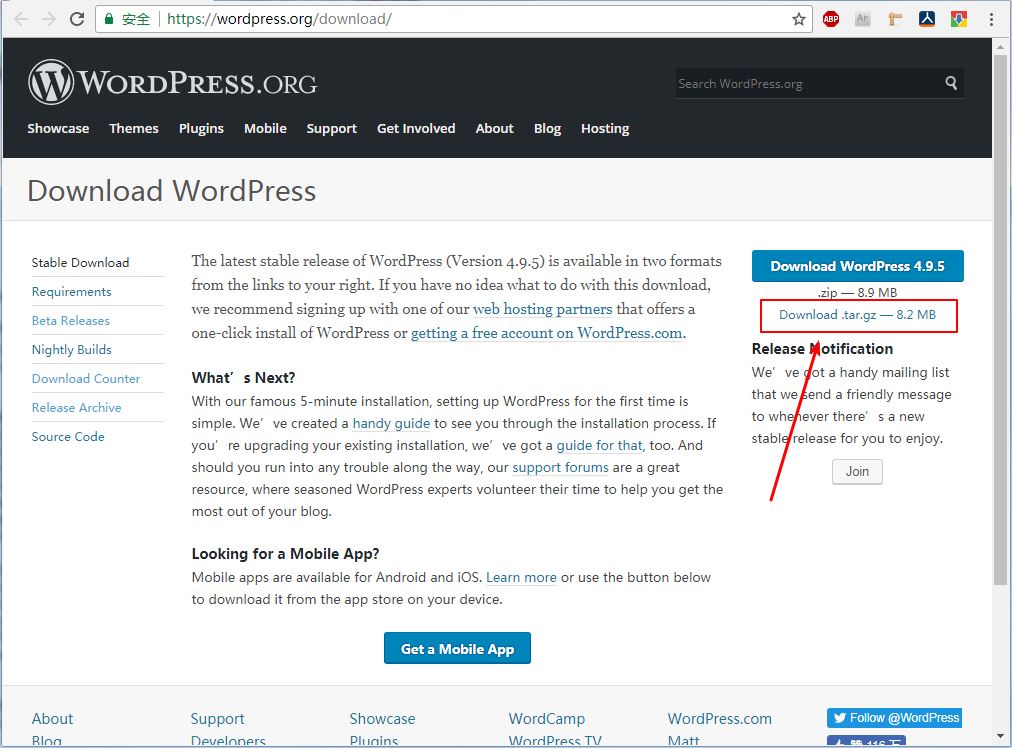
WordPress 安装
安装 WordPress 之前请确定本站域名,否则后期更换比较麻烦
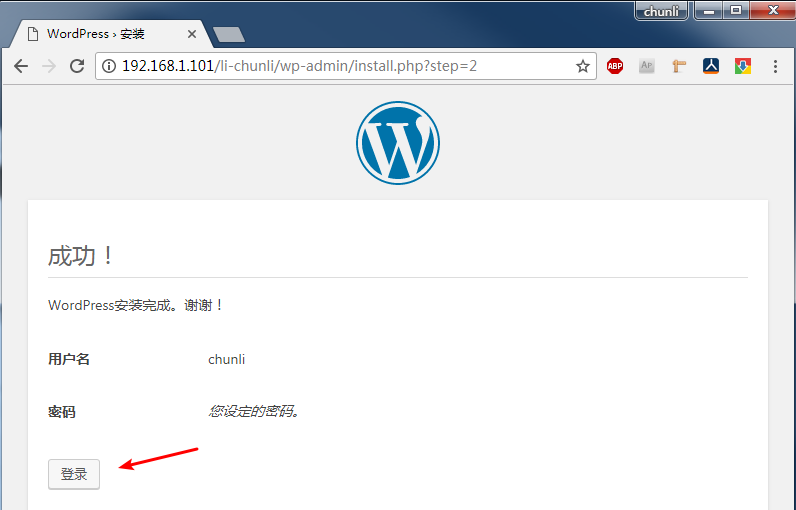
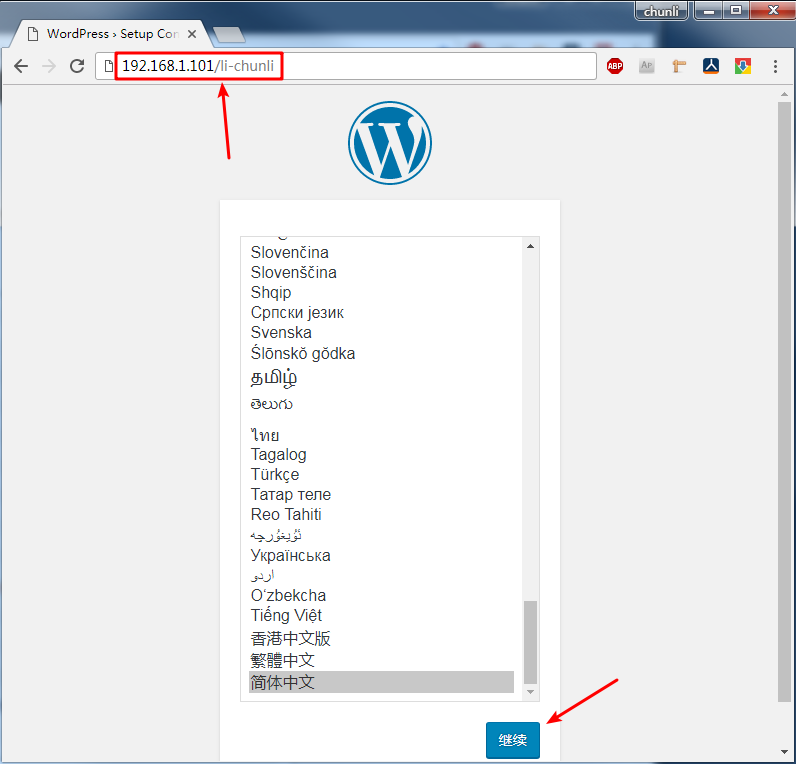
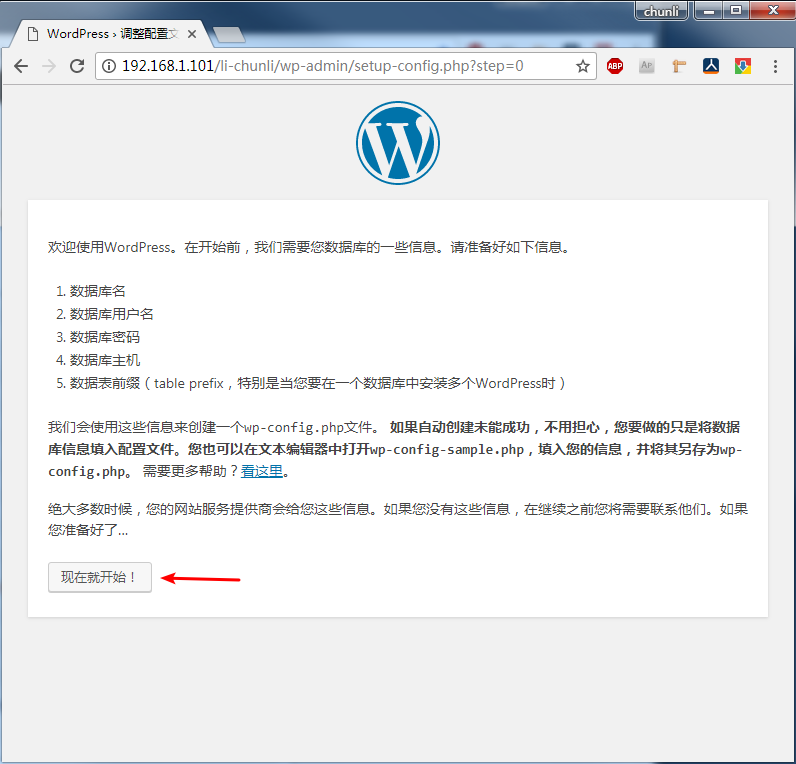
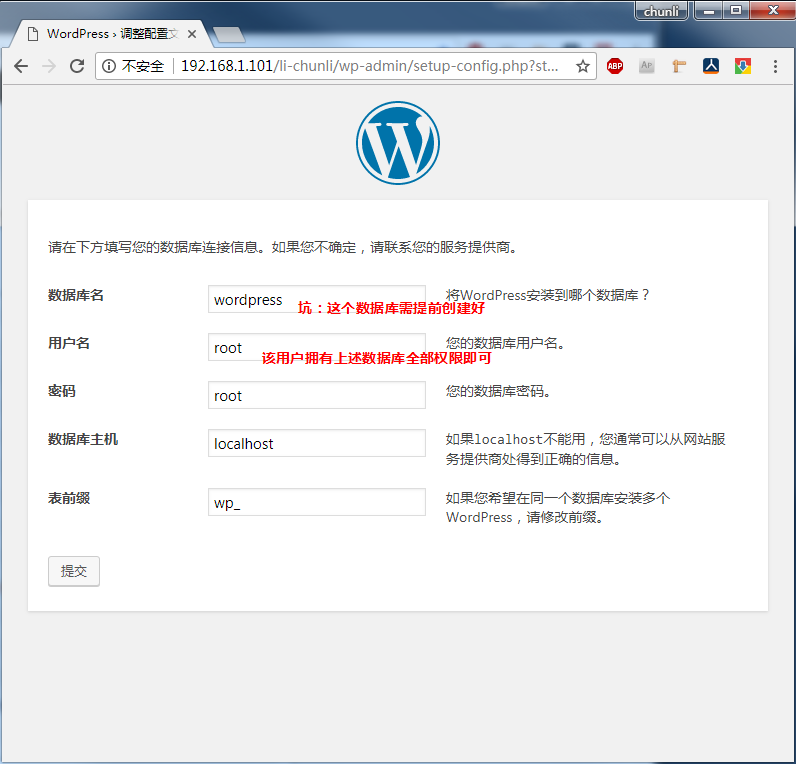
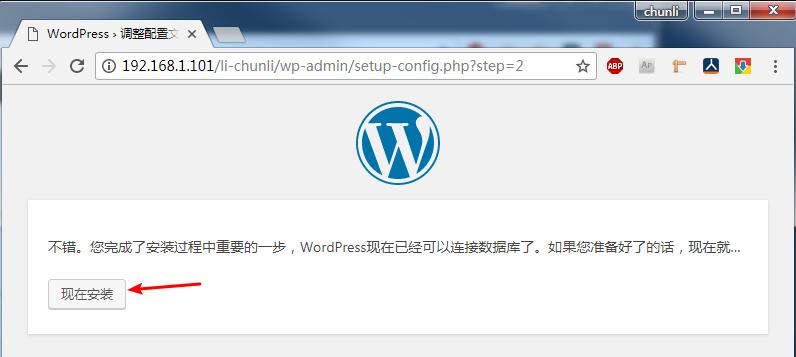
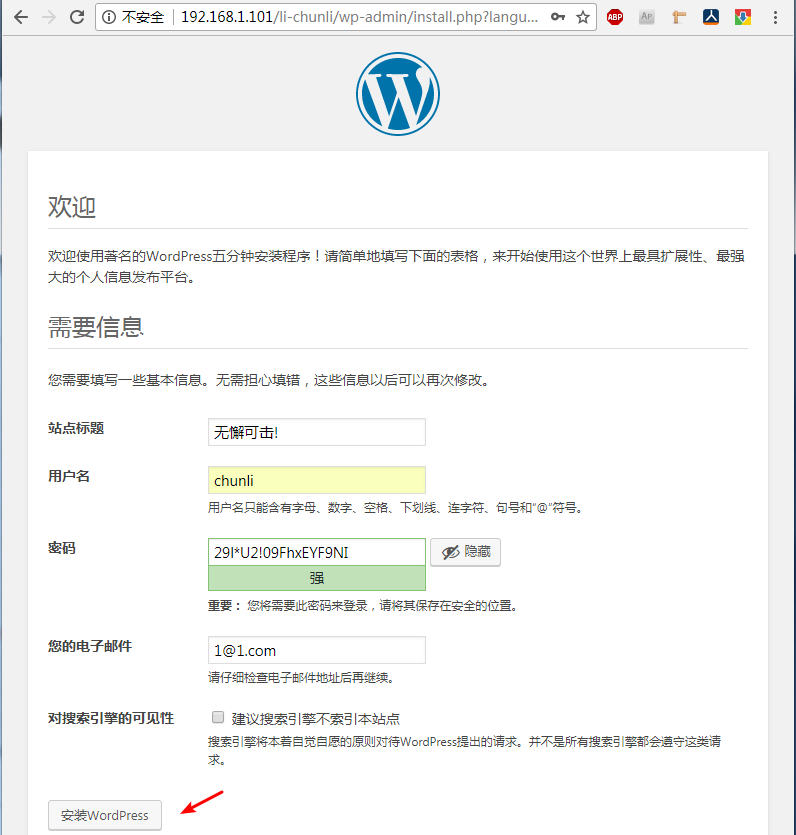
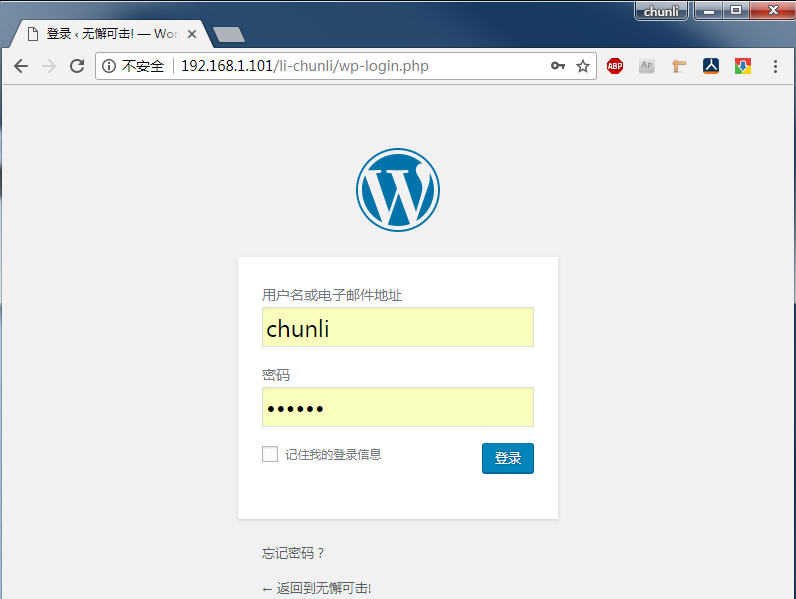
1 2 3 4 5 6 7 8 9 10 11 12 13 14 15 16 17 18 19 20 21 22 [root@localhost ~] [root@localhost ~] [root@localhost wordpress] [root@localhost wordpress] f009061b9d24854bfdc999c7fbeb7579 wordpress-4.9 .5 .tar.gz [root@localhost wordpress] [root@localhost wordpress] [root@localhost wordpress] [root@localhost wordpress] [root@localhost wordpress] wordpress 要求手动创建一个数据库, 比如名为 wordpress [root@localhost ~] Enter password: 输入新的密码 MariaDB [(none)]> CREATE DATABASE wordpress CHARACTER SET utf8; MariaDB [(none)]> exit 网页操作安装 http://your_server_ip/li-chunli/wp-admin/setup-config.php 坑:确保 nginx 能够解析 php, 比如 index index.html index.htm index.php;
## 启用Crayon Syntax Highlighter
查找并安装 代码高亮插件Crayon Syntax Highlighter
## 启用主题 leento
此主题非常精简
## 修改主题页面宽度
1 2 3 4 5 6 7 修改主题页面宽度 [root@localhost ~] [root@localhost ~] 找到 max-width: 1080 px; 改为 max-width: 1480 px;
leento 主题 禁用缩略图
1 2 3 4 5 6 7 8 9 10 11 12 13 [root@localhost html] 将 add_theme_support( 'post-thumbnails' ); add_image_size( 'leento-image-post' , 800 , 450 , true); 改为 https://your_server_domain/wp-admin/options.php 在浏览器按下 Ctrl+F 搜索 medium_large_size_w, 将 768 改为 0
WordPress 这样就安装好了
优化 nginx 开启 SSL
1 2 3 4 5 6 7 8 9 10 11 12 13 14 15 16 17 18 19 20 21 22 23 24 25 26 27 28 29 30 31 32 33 34 35 36 37 38 39 40 41 42 43 44 45 46 47 48 49 50 51 52 53 54 55 56 57 58 59 60 61 62 63 64 65 66 67 68 69 70 71 72 73 74 75 76 77 78 79 80 81 82 83 84 85 86 87 88 89 90 91 92 93 94 95 96 97 98 99 100 101 102 103 104 105 106 107 108 109 110 111 112 113 114 115 116 117 118 119 120 nginx 配置文件检测 [root@localhost ~] nginx: the configuration file /opt/nginx/conf/nginx.conf syntax is ok nginx: configuration file /opt/nginx/conf/nginx.conf test is successful nginx 配置 SSL [root@localhost ~] server { listen 80 ; server_name blog.reconnect.top; rewrite ^(.*)$ https://${server_name}$1 permanent; ... } rewrite 80 转转到 443 端口 解除 ssl 注释,并 适当添加 server { listen 443 ssl; server_name blog.reconnect.top; ssl_certificate /opt/nginx/SSL/blog.reconnect.top-ca-bundle.crt; ssl_certificate_key /opt/nginx/SSL/blog.reconnect.top.key; ssl_session_cache shared:SSL:1 m; ssl_session_timeout 5 m; ssl_ciphers HIGH:!aNULL:!MD5; ssl_prefer_server_ciphers on; location / { root html; index index.html index.htm index.php; } location ~ \.php$ { root html; fastcgi_pass 127.0 .0.1 :9000 ; fastcgi_index index.php; fastcgi_param SCRIPT_FILENAME /opt/nginx/html/$fastcgi_script_name ; include fastcgi_params; } } 添加: server_name ssl_certificate ssl_certificate_key location 的 index.php 注意坑:需要一个域名,如: blog.reconnect.top 需要公钥,私钥文件路径 我将PHP也添加到这里了 验证: [root@localhost ~] [root@localhost ~] * About to connect() to blog.reconnect.top port 80 ( * Trying 192.168 .1.100 ... * Connected to blog.reconnect.top (192.168 .1.100 ) port 80 ( > GET /index.php HTTP/1.1 > User-Agent: curl/7.29 .0 > Host: blog.reconnect.top > Accept: */* > < HTTP/1.1 301 Moved Permanently < Server: nginx/1.14 .0 < Date: Mon, 30 Apr 2018 01 :31 :08 GMT < Content-Type: text/html < Content-Length: 185 < Connection: keep-alive < Location: https://blog.reconnect.top/index.php < <html> <head><title>301 Moved Permanently</title></head> <body bgcolor="white" > <center><h1>301 Moved Permanently</h1></center> <hr><center>nginx/1.14 .0 </center> </body> </html> * Connection [root@localhost ~] 可以看到,被 Location 到 https://blog.reconnect.top/index.php [root@localhost ~] * About to connect() to blog.reconnect.top port 443 ( * Trying 192.168 .1.100 ... * Connected to blog.reconnect.top (192.168 .1.100 ) port 443 ( * Initializing NSS with certpath: sql:/etc/pki/nssdb * CAfile: /etc/pki/tls/certs/ca-bundle.crt CApath: none * Server certificate: * subject: CN=blog.reconnect.top * start date: Apr 28 00 :00 :00 2018 GMT * expire date: Apr 28 12 :00 :00 2019 GMT * common name: blog.reconnect.top * issuer: CN=Encryption Everywhere DV TLS CA - G2,OU=www.digicert.com,O=DigiCert Inc,C=US > GET /index.php HTTP/1.1 > User-Agent: curl/7.29 .0 > Host: blog.reconnect.top > Accept: */* > < HTTP/1.1 200 OK < Server: nginx/1.14 .0 < Date: Mon, 30 Apr 2018 01 :31 :56 GMT < Content-Type: text/html; charset=UTF-8 < Transfer-Encoding: chunked < Connection: keep-alive < X-Powered-By: PHP/7.2 .5 < <!DOCTYPE html PUBLIC "-//W3C//DTD XHTML 1.0 Transitional//EN" "DTD/xhtml1-transitional.dtd" > <html xmlns="http://www.w3.org/1999/xhtml" ><head> <style type="text/css" > OK HTTPS 完成了。
优化 解除文件上传限制
1 2 3 4 5 6 7 8 9 10 11 12 13 14 15 16 17 18 19 20 21 22 23 24 25 26 27 28 29 30 31 1 , 遇到的问题 php.ini 文件不加载 https://blog.reconnect.top/index.php 输出phpinfo()的信息 Configuration File (php.ini) Path: /opt/php/lib Loaded Configuration File : 始终未空 解决: [root@localhost ~] [root@localhost ~] [root@blog ~] 找到 upload_max_filesize = 2 M post_max_size = 8 M 改为: upload_max_filesize = 81920 M post_max_size = 81920 M 文件上传这两个参数,哪个参数小,就决定上传的大小 [root@blog ~]2 , nginx 也会限制文件大小,比如下面是上传一个大文件就报错了 [root@blog ~]2018 /04 /30 10 :21 :48 [error] 2719 解决: [root@blog ~] 将 client_max_body_size 81920 m; 添加在 http{ ... 任意处 ... } 限制上传在80 G以内。 [root@blog ~] `
优化 隐藏NGINX 版本号